
- Chrome Extension Development
- Chrome Extension Upgrades
- Chrome Extension Bug Fixing
- Backend & API Development
- Automation Development
- Email and Google Auth Implementation
- Payment Integration
- Performance Improvements
- Chrome Store Thumbnail Design
Turn Grok AI Into a Hands-Free Image & Video Factory
Grok Automator: The Ultimate Bulk Automation Tool for Grok AI
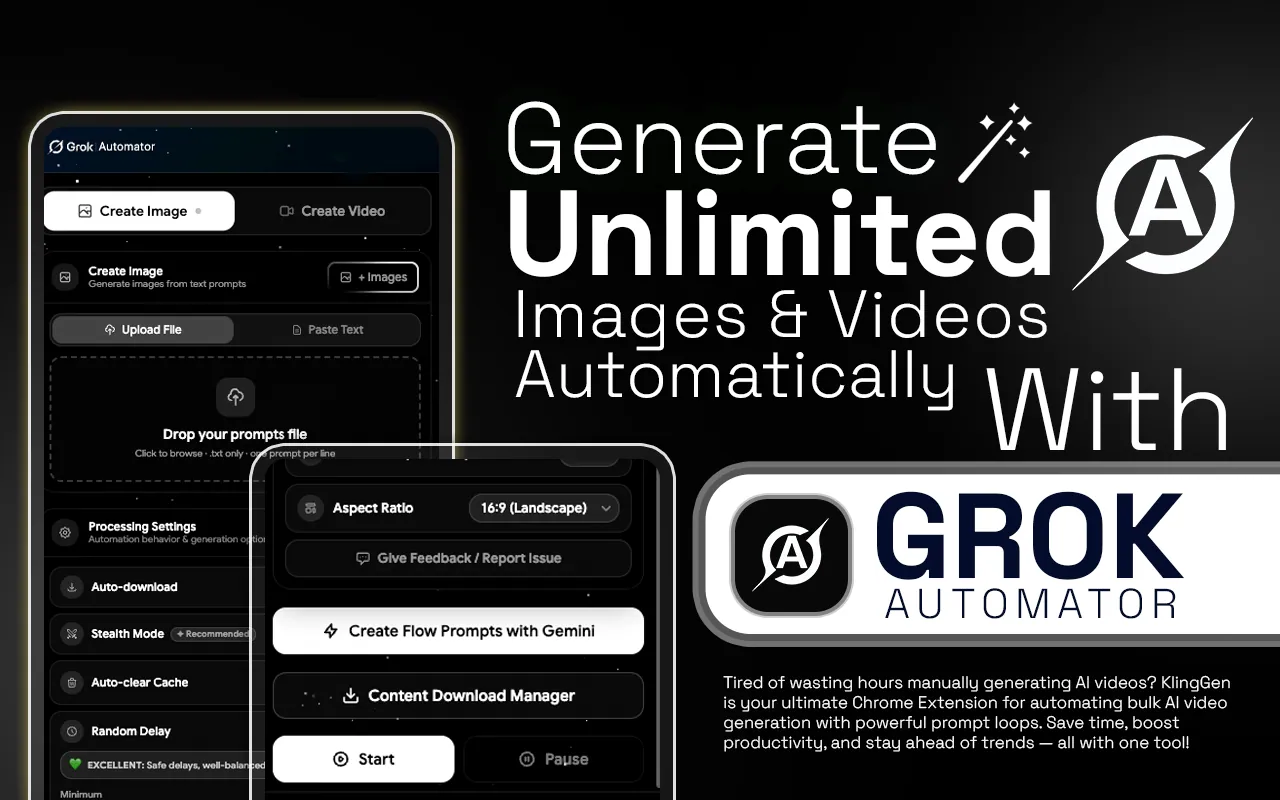
Transform your creative workflow with Grok Automator, the powerful Chrome extension designed to eliminate the manual grind of AI content creation. Whether you are generating high-fidelity images or cinematic videos, this tool automates the entire pipeline—from bulk prompting and image uploading to the final download.
Built for power users, creators, and agencies, Grok Automator allows you to scale your production to hundreds or thousands of assets with a single click. Stop wasting hours on repetitive clicking and start generating massive libraries of AI content effortlessly.
Why Choose Grok Automator?
Instead of manually entering prompts and downloading results one by one, Grok Automator handles the heavy lifting. By automating the repetitive steps of setting parameters and waiting for renders, you free up your time for high-level creative strategy.
- Upload prompts or reference images in bulk.
- Auto-download results directly to your device.
- Save hours of manual copy-paste work.
- Scale your creative output 10x faster.
- Auto-submit image generation tasks.
- Export CSV with full generation details.
- Content Download Manager saves your creations.
How It Works
- Step 01
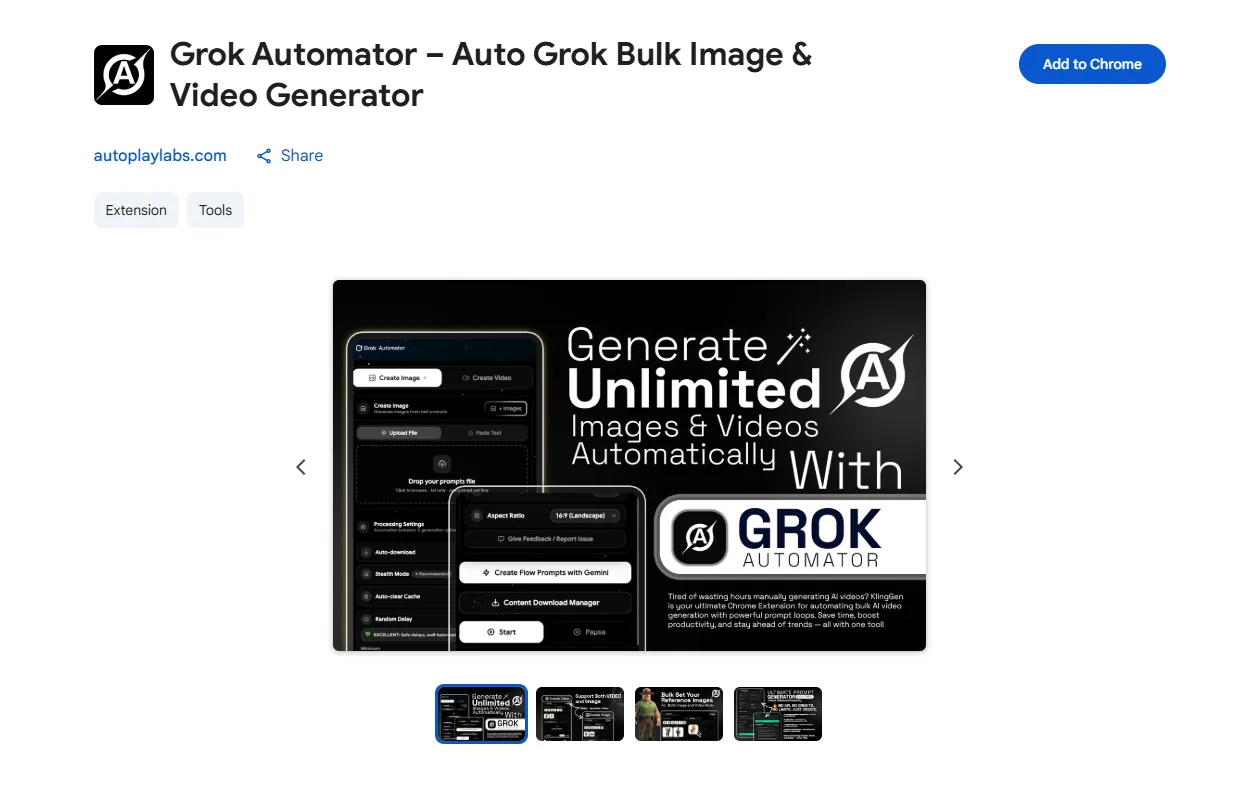
Install Extension
Go to the Grok Automator Chrome Web Store page and click on the "Add to Chrome" button. Once installed, the extension icon will appear in your browser’s toolbar.
- Step 02
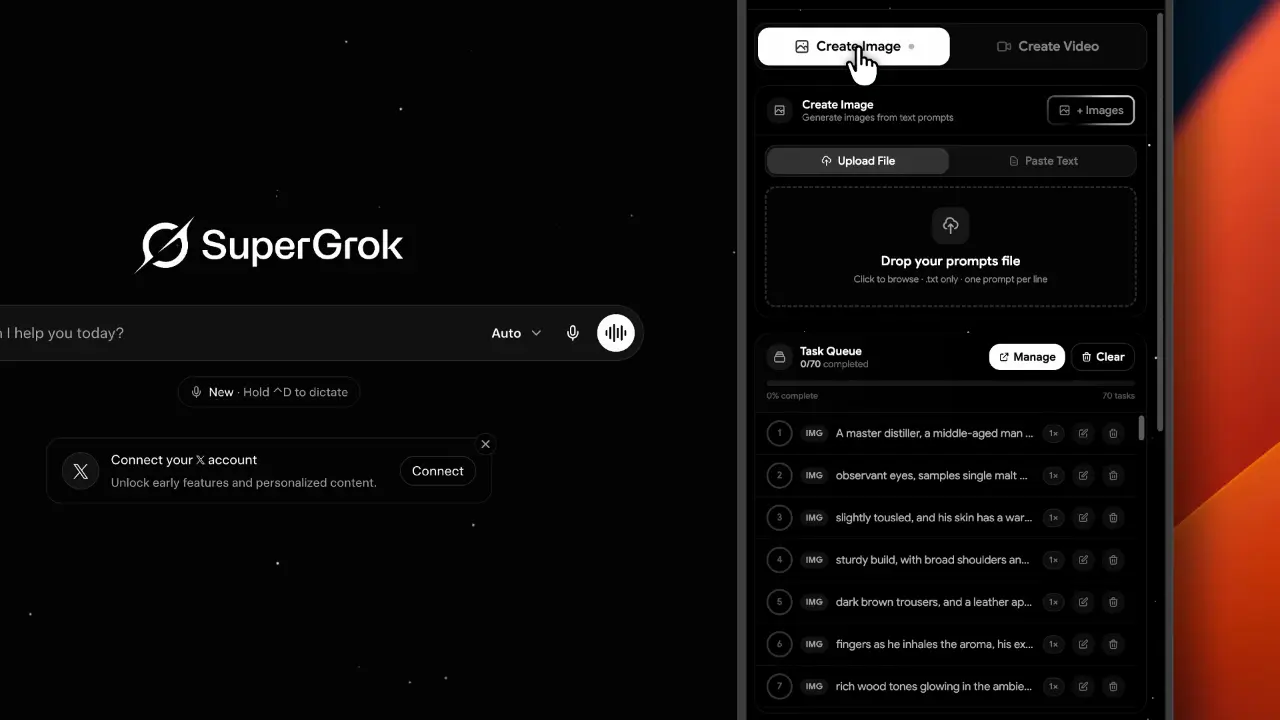
Upload Prompts
You can input multiple prompts at once for bulk generation, enabling you to create several images in one go.
- Step 03
Start Bulk Image Generation
Click the “Generate” button. Grok Automator will automatically process all your prompts and initiate image generation in bulk.
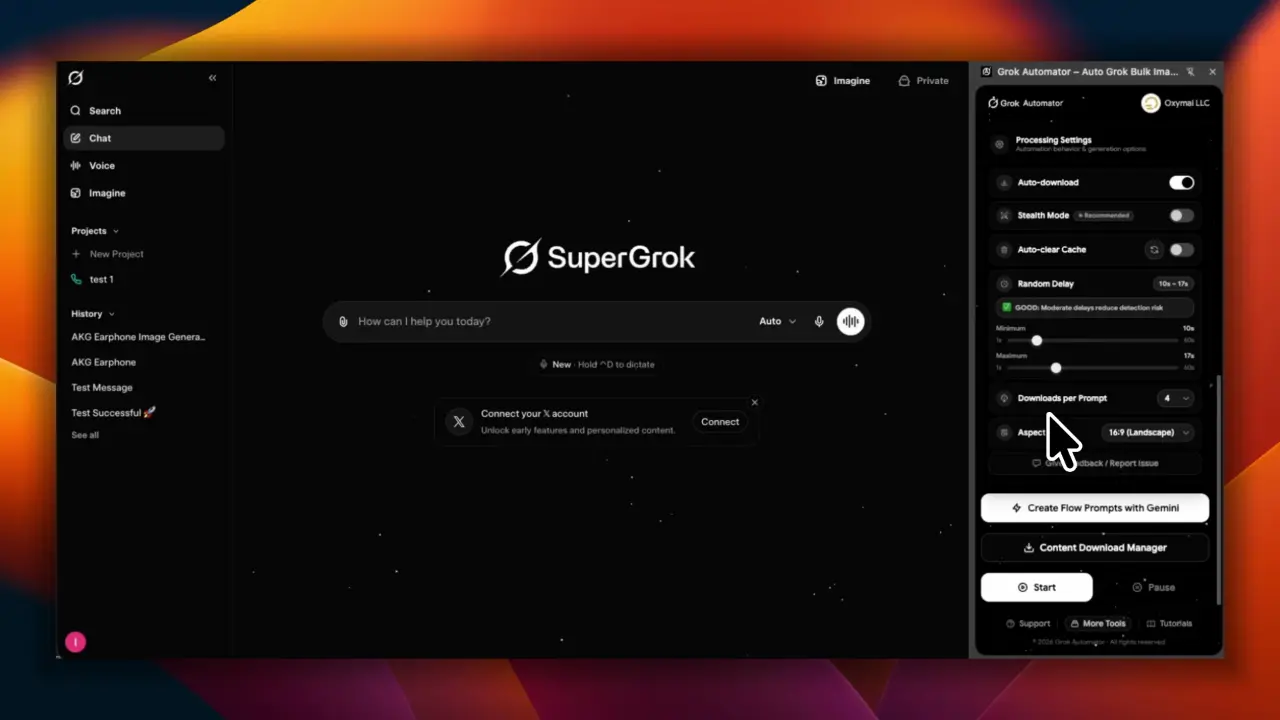
- Step 04
Auto-Download
Once the images are generated, Grok Automator will automatically download them to your device without requiring any clicks.
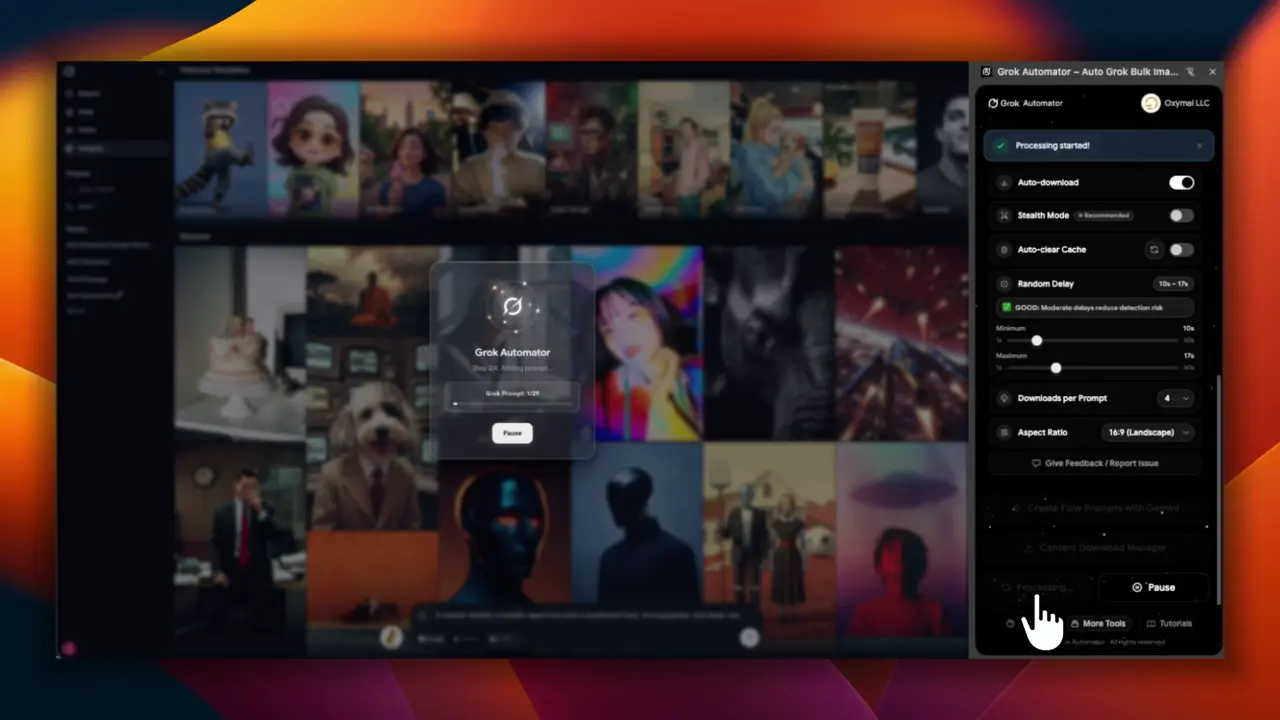
Key Features of Grok Automator
The key features of Grok Automator work together to eliminate all repetitive manual work from input and generation to download and organization. allowing creators to scale their AI image production massively and efficiently.
- Feature 01
Massive Volume Generation
Seamlessly process 10, 100, or 10,000+ images or video without manual intervention.
- Feature 02
Multi-Source Importing
Import your prompt lists via .txt files or paste unlimited lists directly into the extension.
- Feature 03
High-Quality AI Visuals
Powered by Google Labs Flow AI model.
- Feature 04
One-Click Automation
Simple, fast, and efficient.
- Feature 05
For Professionals & Creators
Perfect for stock, social media, marketing, e-commerce, and design projects.
- Feature 06
Human-Like Interaction
Built-in Stealth Mode ensures smooth operation by simulating natural behavior.
- Feature 07
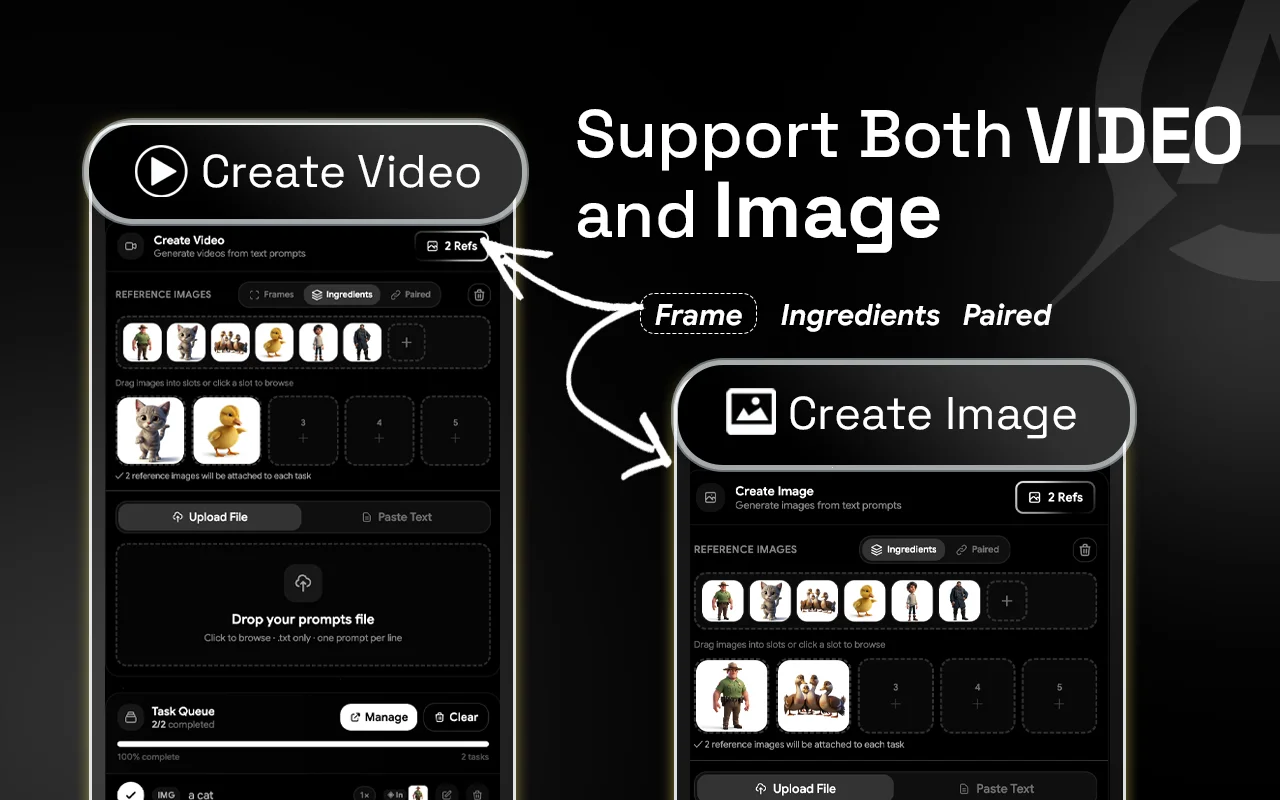
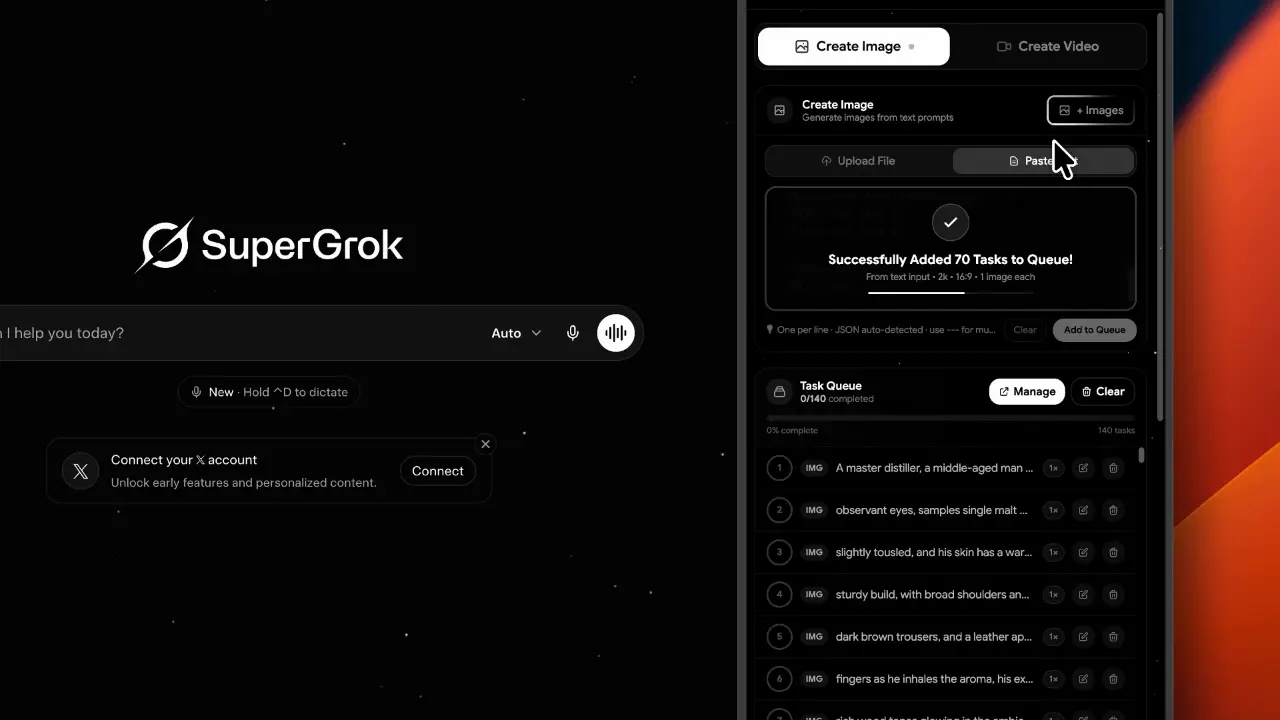
Create Bulk Images
You can Create Bulk Images. Then select the Create image option.You can input multiple prompts at once for bulk generation, enabling you to create several images in one go.
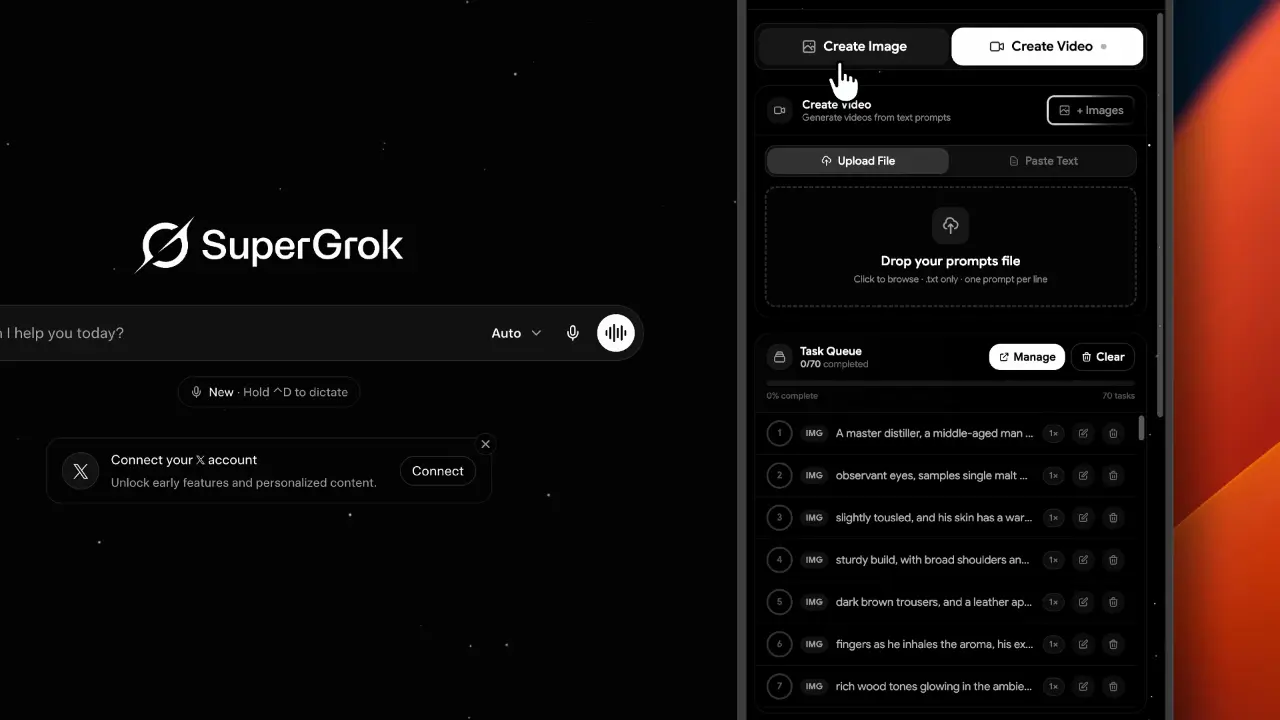
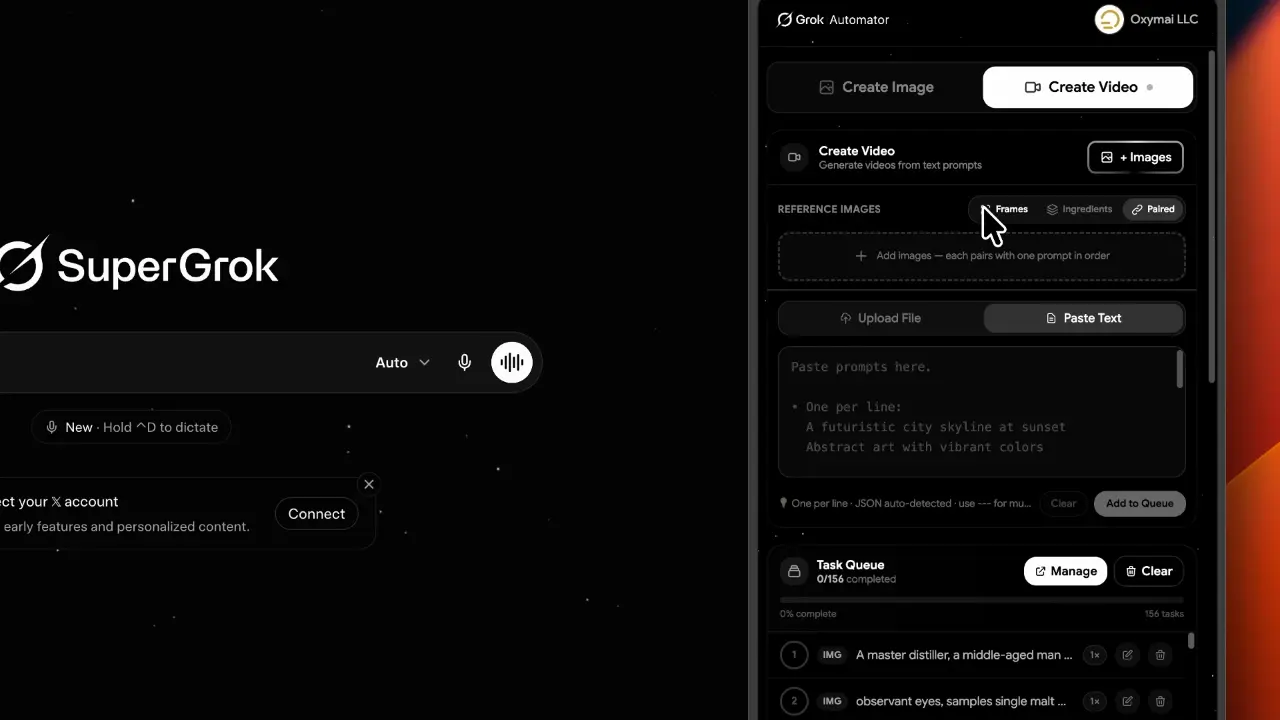
- Feature 08
Create Bulk Video
You can Create Bulk Videos. Then select the Create video option. You can input multiple prompts at once for bulk generation, enabling you to create several videos in one go.
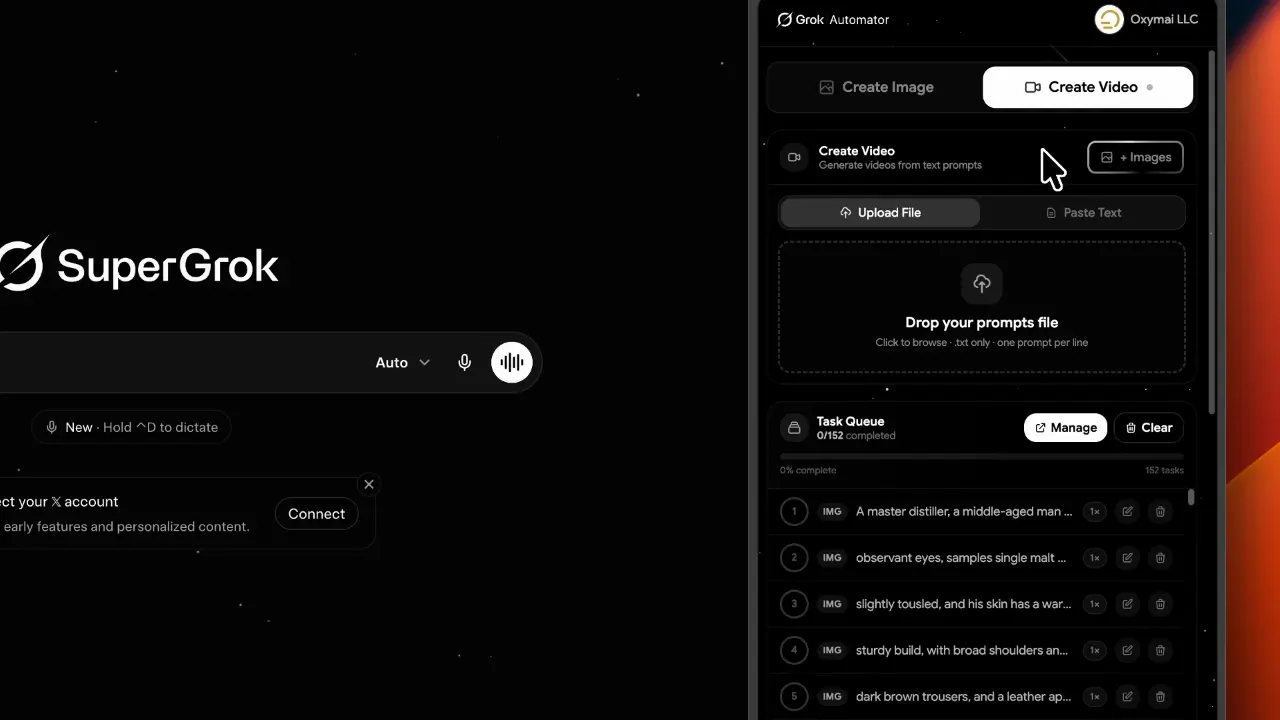
- Feature 09
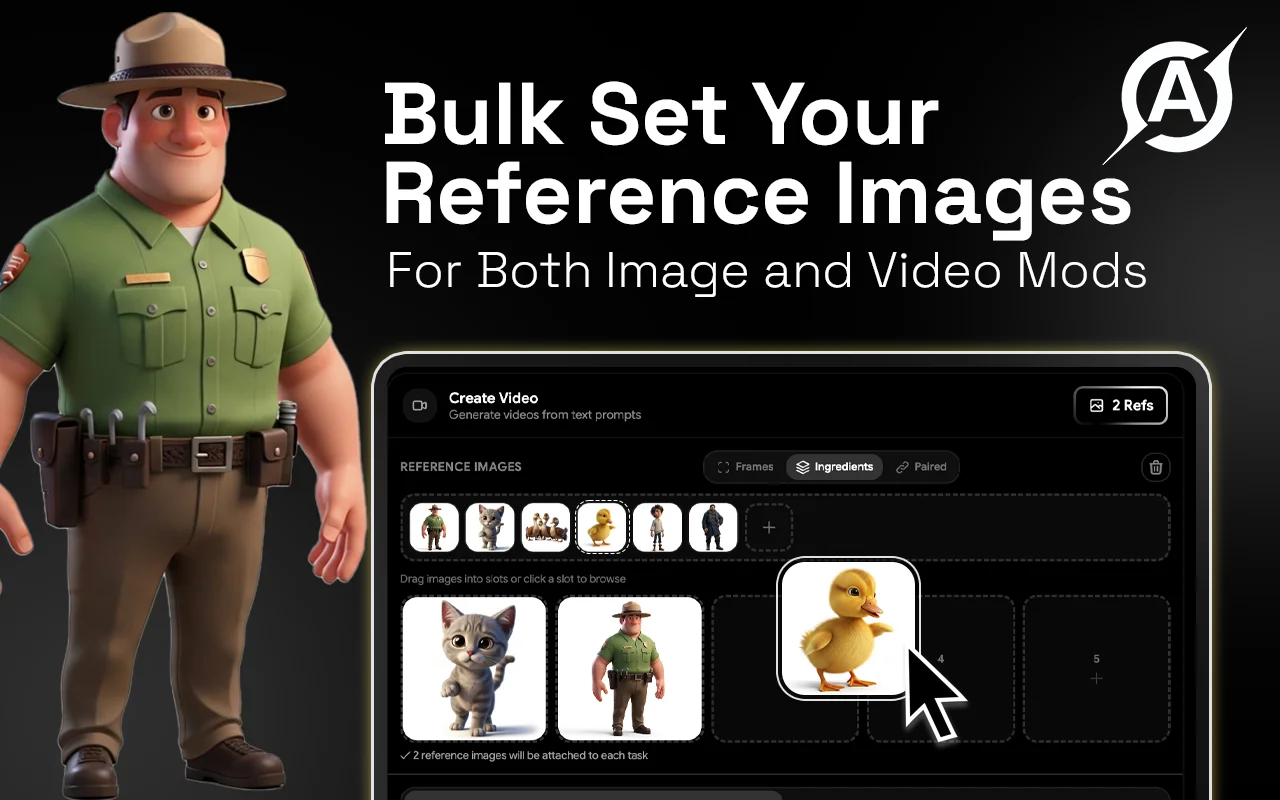
Multi Image Reference Mode
You can create more images by using multi reference image. Select and Add Reference Images in to Extension and drag and drop them to Your Prompts. Not Repetitive Reference image Uploading.
- Text to Image: Paste a list or upload prompts to generate high-quality images in bulk automatically.
- Integration Mode: Upload multiple reference images to ensure consistent style, improved quality, and accurate visuals.
- Paired Mode: Match each prompt to a specific image, perfect for structured storytelling and precise scene creation.
- Feature 10
Multi Video Reference Mode
First Click the "Image". Select and add reference images to the extension, then drag and drop them into your prompts. Not Repetitive Reference image Uploading.
- Text to Video: Bulk generate multiple videos by entering a list of prompts. Ideal for rapid, high-volume content creation.
- Frame to Video: Upload starting and ending frames to create smooth transitions and controlled animations between two images.
- Integration Mode: – The image can be created by adding the reference ingredient images one by one and adding the prompt in the prompt box.
- Pair Mode:- Prompt should be added line by line, related to the images to be added.(ex: 1image- prompt 1)
- Feature 11
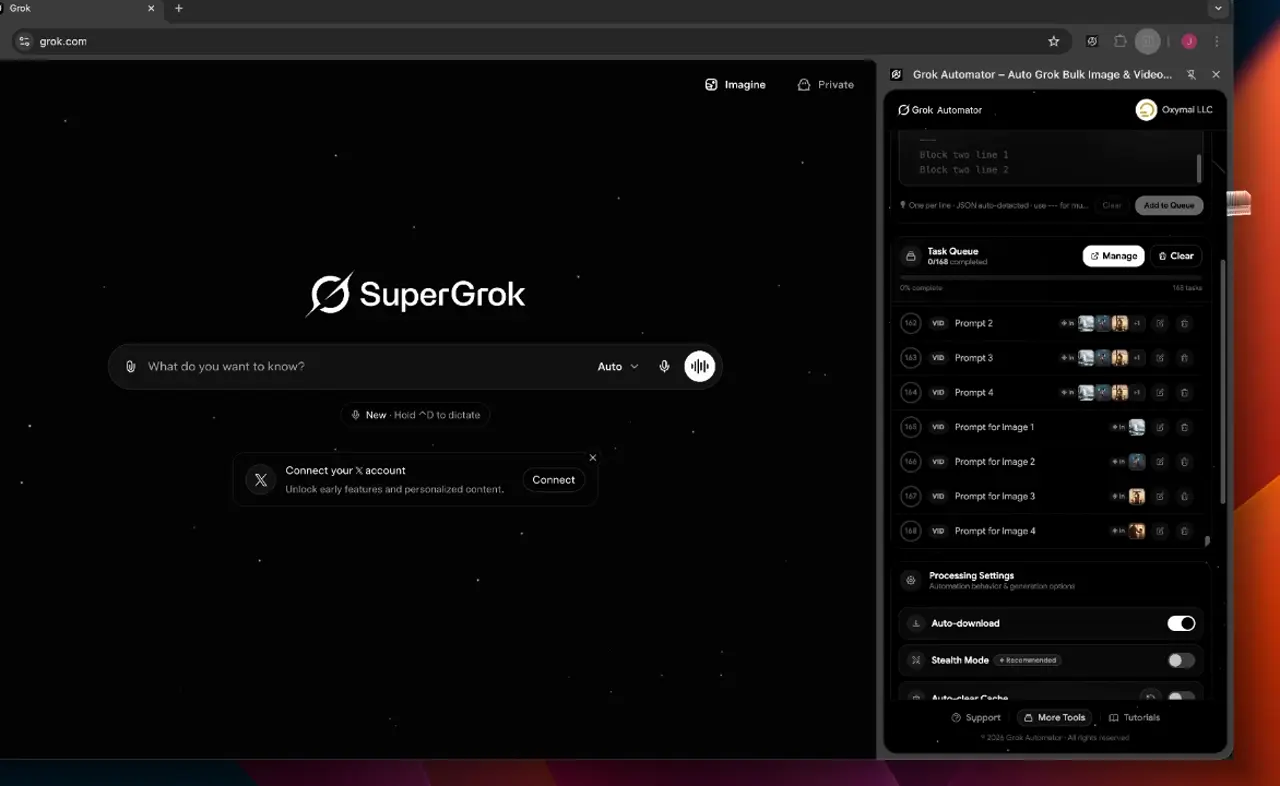
Prompt Queue Manager
Click the “Edit icon” . Once you have customized your settings, click the “Save” button. Click the Manager and open the pop-up window.
- Feature 12
Bulk Content Downloader
The Content Download Manager is your final stop for saving your creations. It features easy Selection options that let you select all, deselect all, or filter your files by image only or video only.
- Feature 13
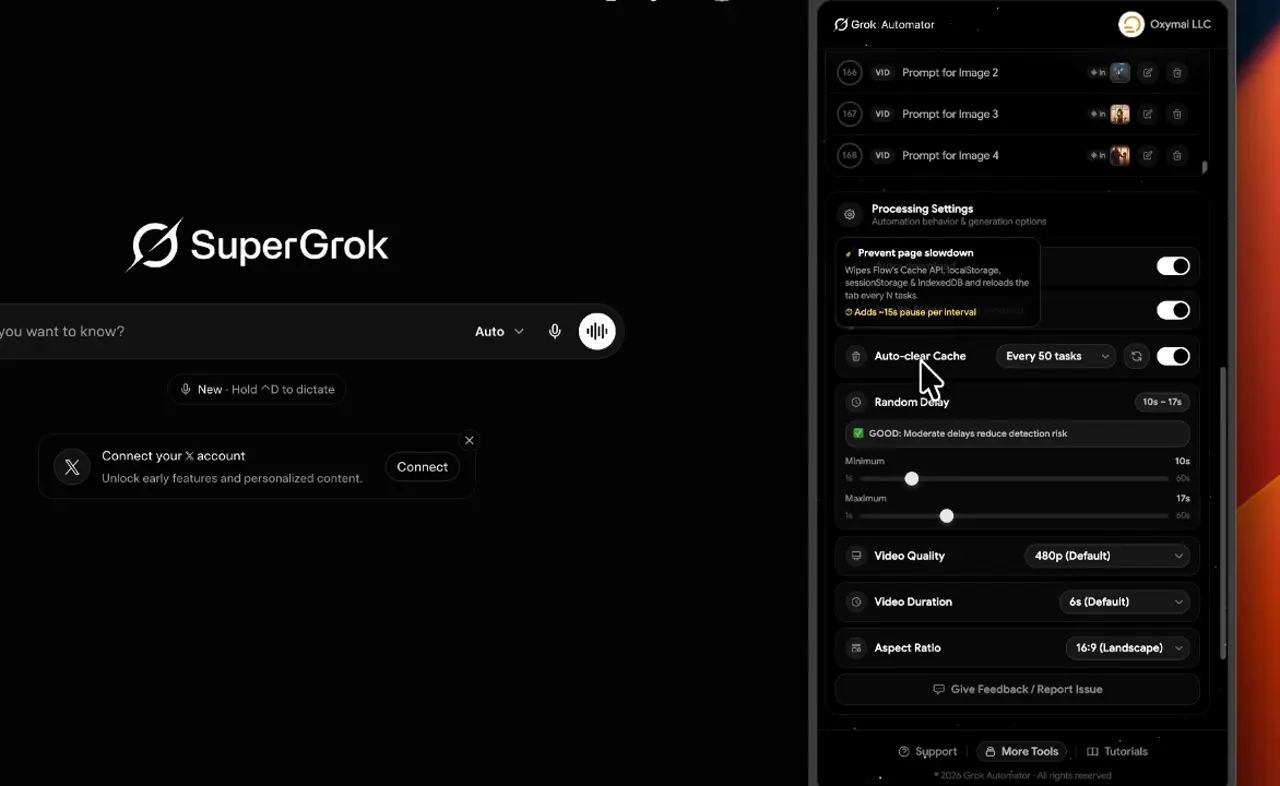
Auto Cache Cleaner
Automatically clears temporary data during long automation sessions. By preventing data buildup, it ensures your browser stays fast and stable, eliminating the lag or crashes that typically occur when generating large volumes of AI images and videos.
- Feature 14
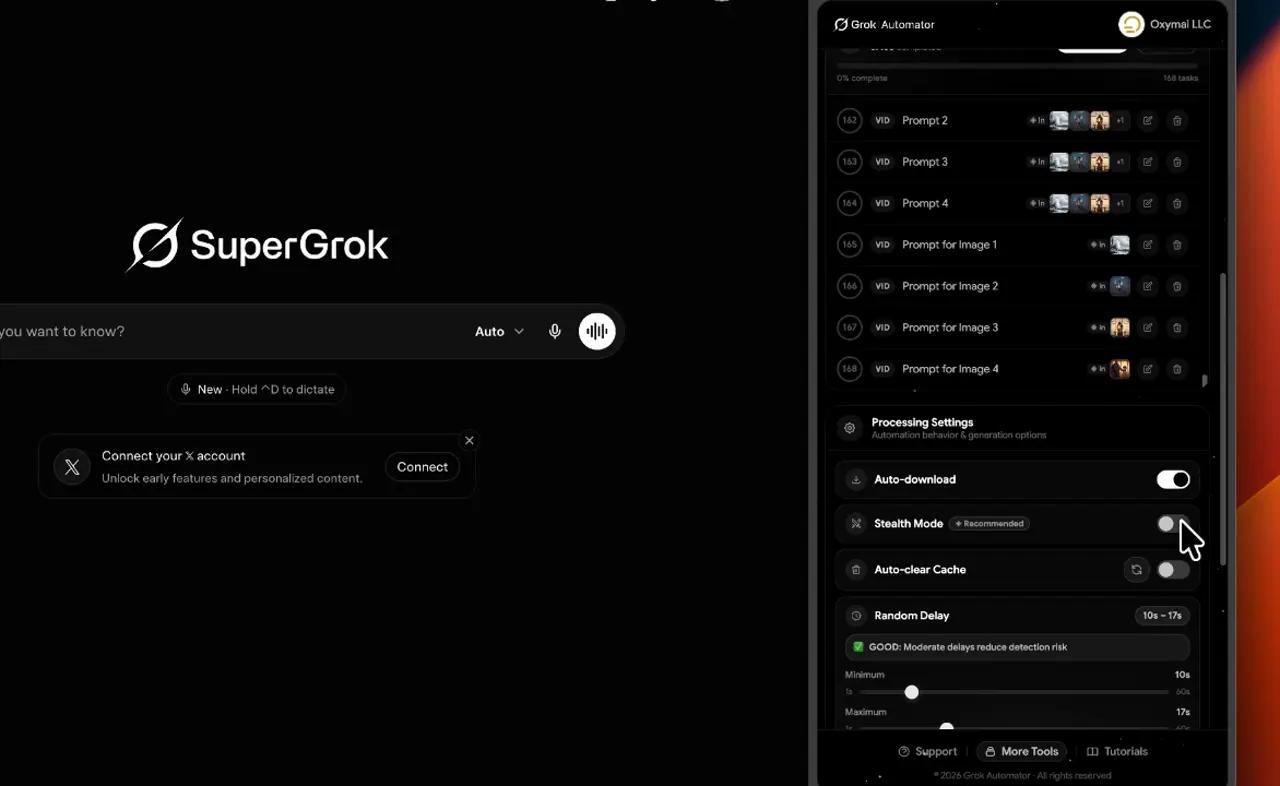
Advance Stealth Mode
This feature simulates natural human behavior during the automation process. By adding randomized delays and mimicking real user interactions, it reduces the risk of hitting rate limits or triggering security errors, ensuring a smooth and uninterrupted workflow.
- Feature 15
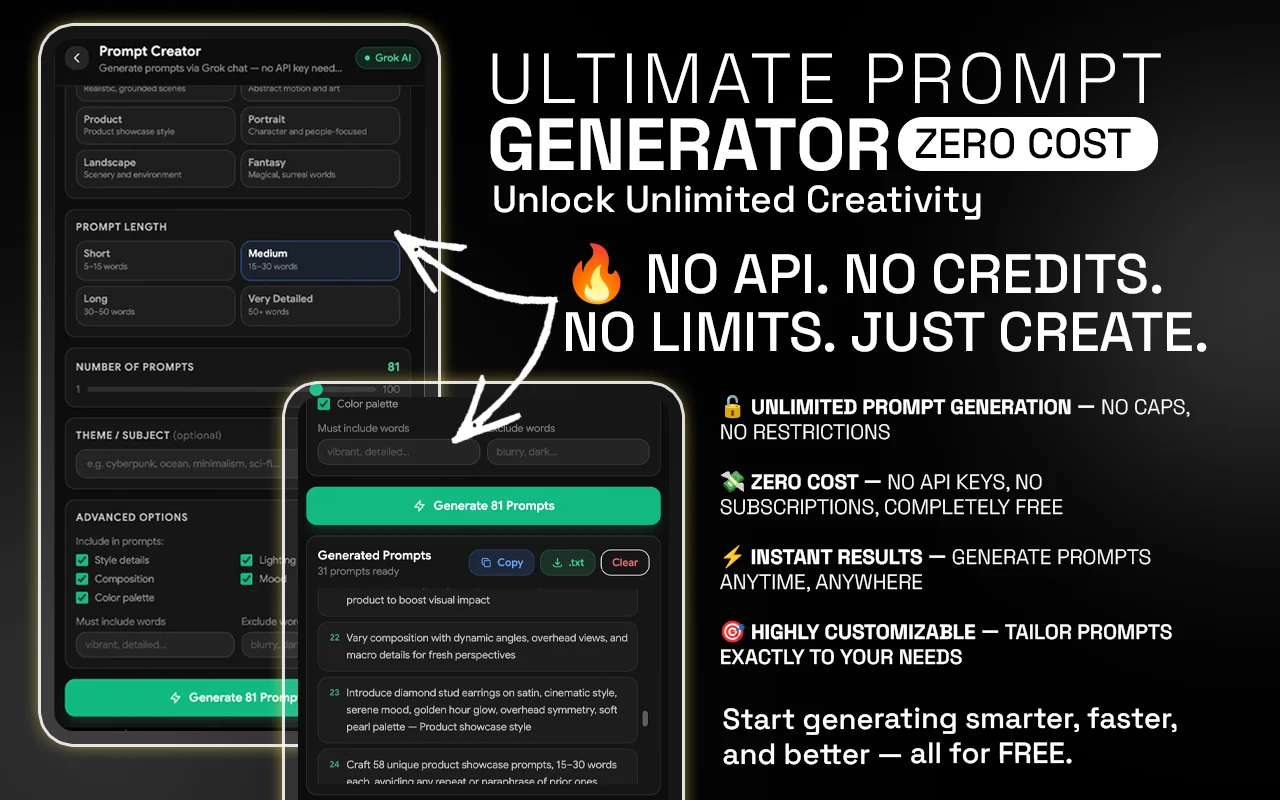
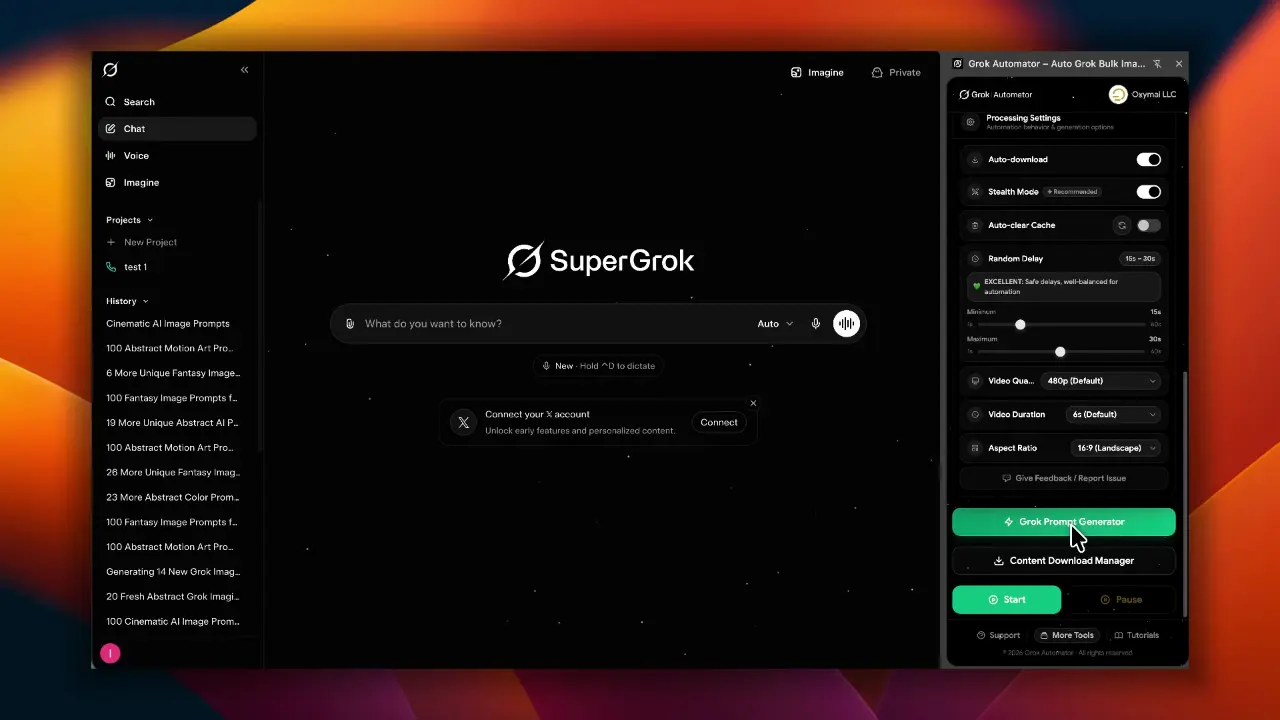
AI prompt Generator
The AI Prompt Creator is your built-in brainstorming partner for overcoming creative blocks. This feature provides an extensive list of prompt ideas designed to inspire unique and high-quality visuals.
Introduction Video
Written reviews will appear here as users share them on the Chrome Web Store.
Reviews shown verbatim from the Chrome Web Store · checked 14 Nov 2026
Our Subscription Plans
Monthly
$4.99
- Full access to Flow tools
- Auto download manager
- AI prompt creator
- Basic support
Yearly
$29.99
- Full access to Flow tools
- Auto download manager
- AI prompt creator
- Basic support
LifeTime
$49.99
- Full access to Flow tools
- Auto download manager
- AI prompt creator
- Basic support
FAQ
Let’s address your questions today!
Send a support ticket with your question or feedback and the AutoPlayLabs team will reply by email.
Submit a support ticket→Yes, Grok Automator connects directly with your Google account to automate image generation.