- Chrome Extension Development
- Chrome Extension Upgrades
- Chrome Extension Bug Fixing
- Backend & API Development
- Automation Development
- Email and Google Auth Implementation
- Payment Integration
- Performance Improvements
- Chrome Store Thumbnail Design
Turn Google Flow Into a Hands-Free Image Studio
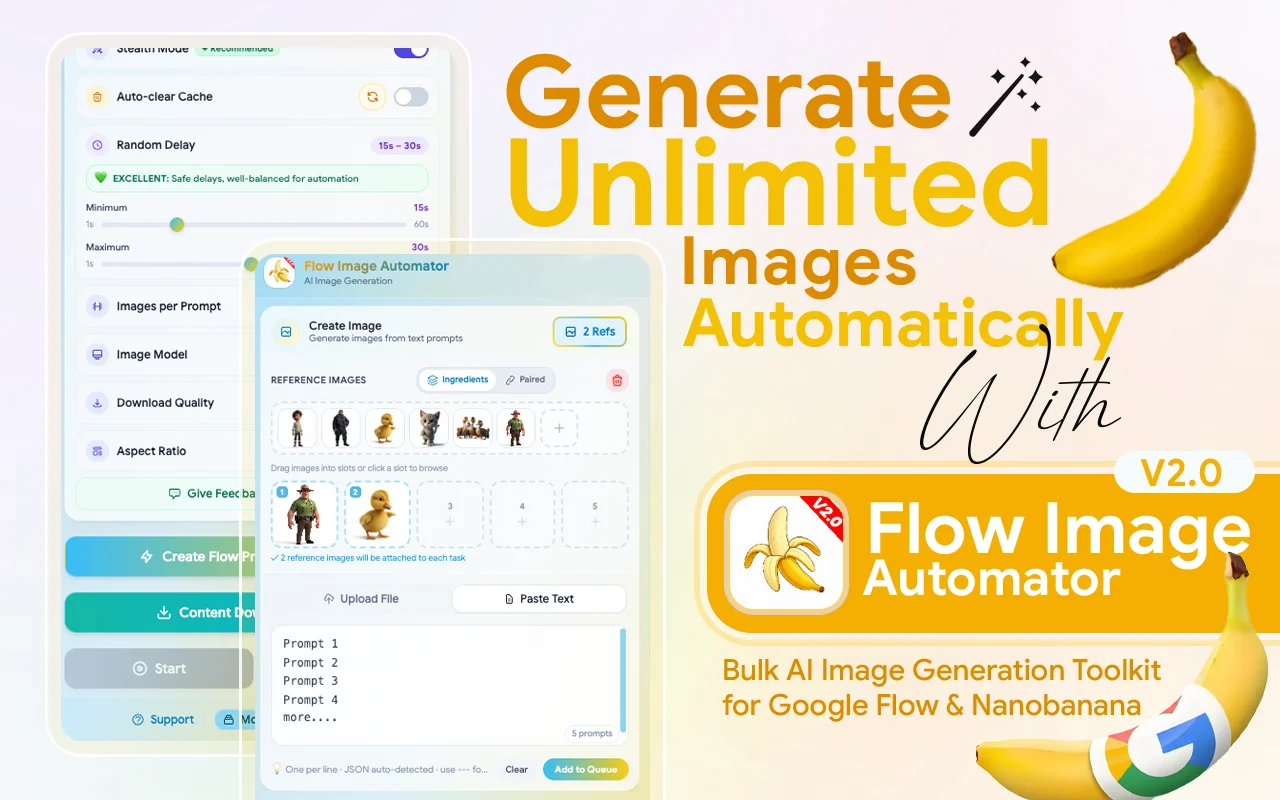
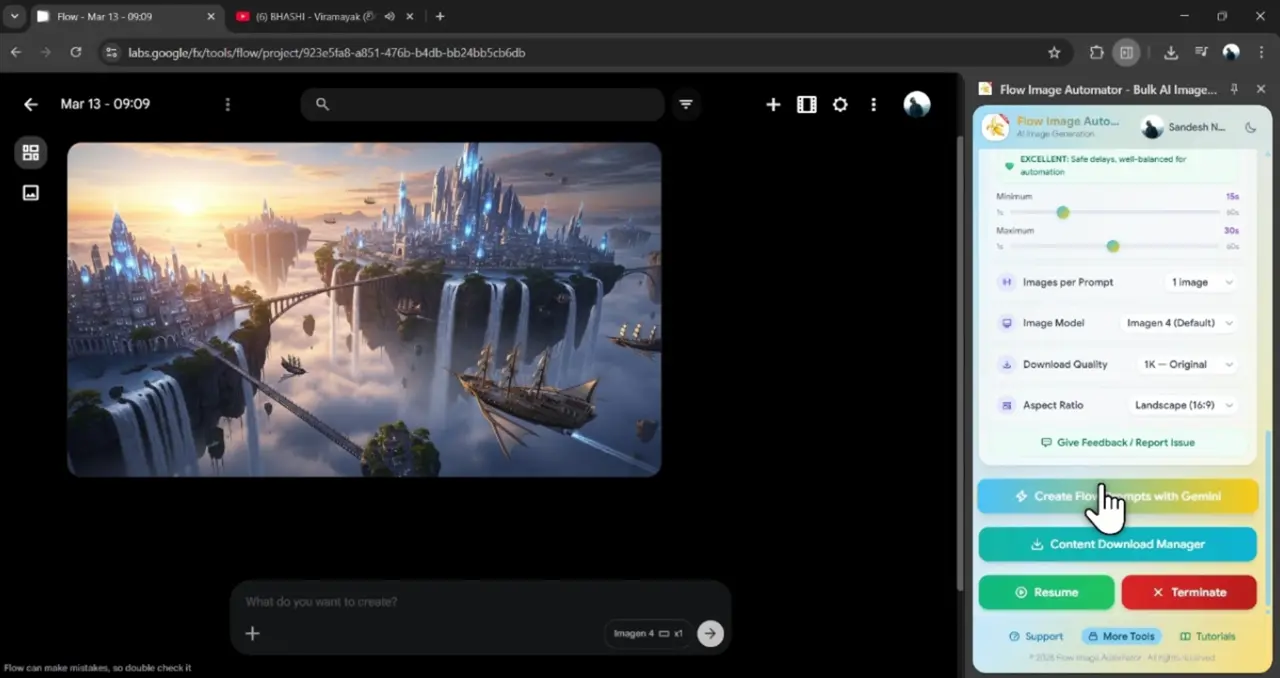
Flow Image Automator is the ultimate power-tool for creators using Google’s latest AI models ( Imagen 4, Nano Banana 2, and Nano Banana Pro). Stop the “one-by-one” grind and transform Google Labs into a high-speed, fully automated image factory.
Flow Image Automator is a specialized browser extension designed to transform Google Labs’ AI image generation platforms into a fully automated, large-scale production system. Its core purpose is to eliminate the manual, repetitive tasks involved in creating AI art, enabling users to generate hundreds or thousands of images with a single setup.
The tool addresses the pain points of manual entry, waiting, and downloading by automating the entire pipeline. Instead of automating just the clicks, it automates the results —from bulk input to final download. The core promise is a “Set It & Forget It” workflow, turning hours of manual work into minutes of setup for automated image production.
Why Choose Flow Images Automator?

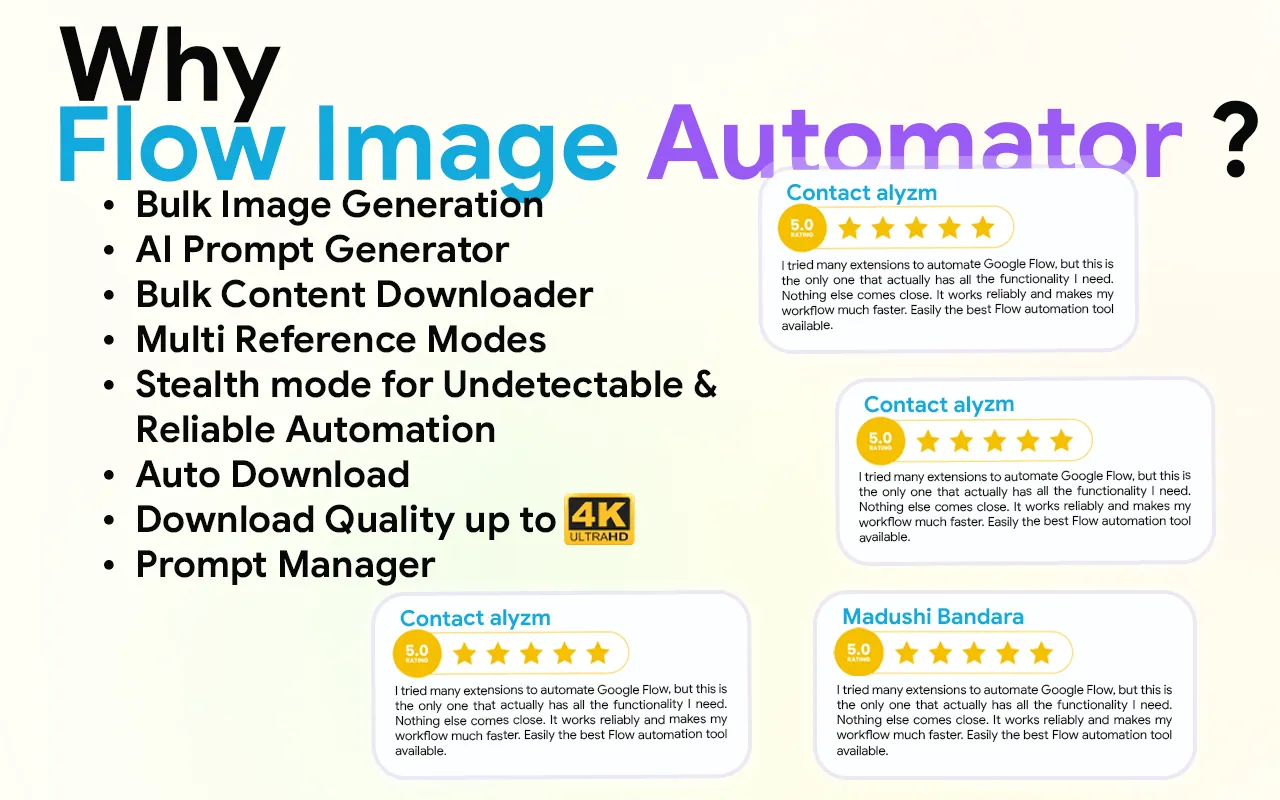
In the fast-moving world of AI, time is your most valuable currency. While others are stuck clicking buttons, Flow Image Automator users are scaling their businesses. Here is why our tool is the gold standard for Google Labs automation:
- Upload prompts or reference images in bulk
- Auto-download results directly to your device.
- Save hours of manual copy-paste work.
- Scale your creative output 10x faster.
- Auto-submit image generation tasks
- Export CSV with full generation details
How It Works
- Step 01
Install Extension
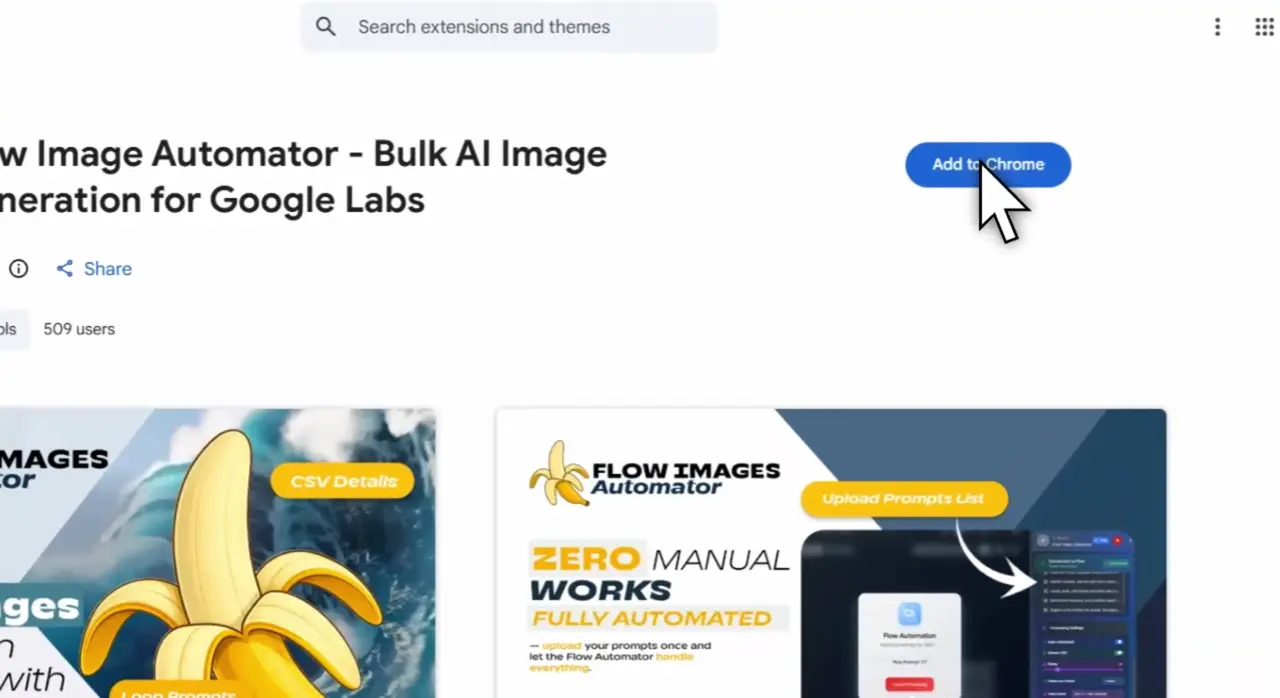
Go to the Flow Images Automator Chrome Web Store page and click on the "Add to Chrome" button. Once installed, the extension icon will appear in your browser’s toolbar.
- Step 02
Upload Prompts
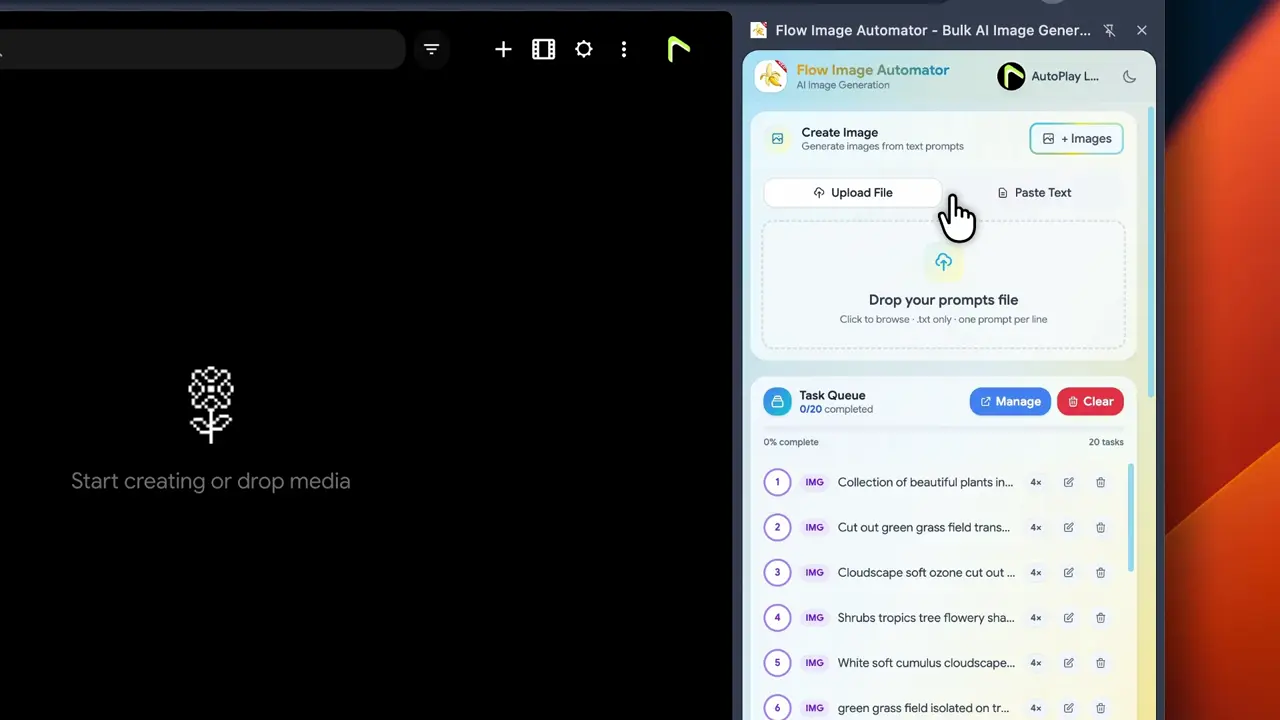
You can input multiple prompts at once for bulk generation, enabling you to create several images in one go.
- Step 03
Start Bulk Image Generation
Click the “Generate” button. Flow Image Automator will automatically process all your prompts and initiate image generation in bulk.
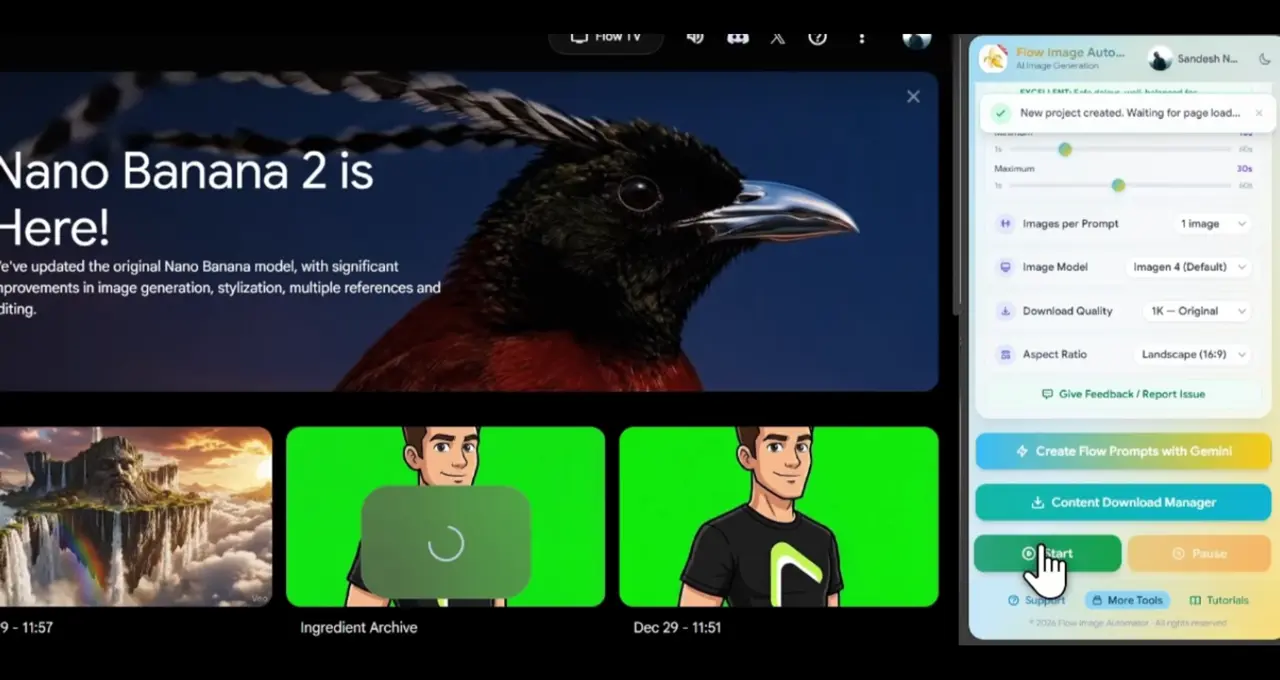
- Step 04
Auto-Download
Once the images are generated, Flow Images Automator will automatically download them to your device without you having to click anything.
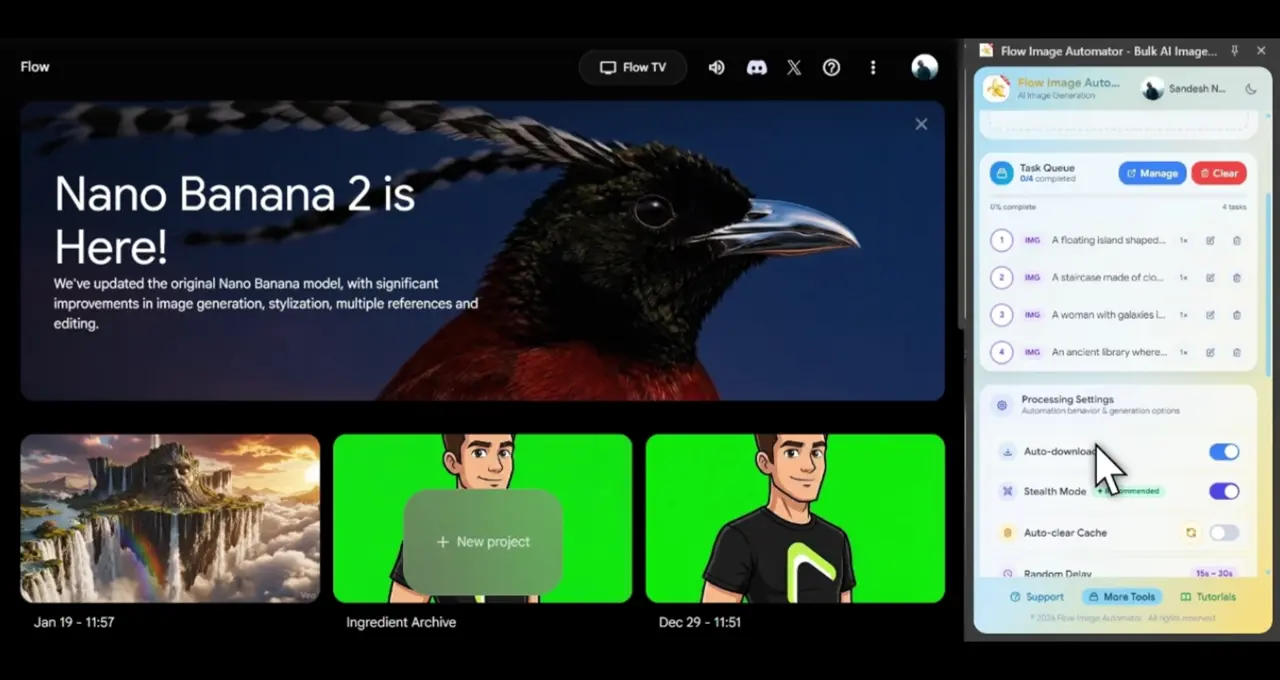
Key Features of Flow Images Automator
The key features of Flow Image Automator work together to eliminate all repetitive manual work from input and generation to download and organization. allowing creators to scale their AI image production massively and efficiently.
- Feature 01
Massive Volume Generation
Seamlessly process 10, 100, or 10,000+ images without manual intervention.
- Feature 02
Universal Model Support
Fully optimized for Google Labs' latest models, including Imagen 4, Nano Banana 2, and Nano Banana Pro.
- Feature 03
Multi-Source Importing
Import your prompt lists via .txt files or paste unlimited lists directly into the extension.
- Feature 04
High-Quality AI Visuals
Powered by Google Labs Flow AI model.
- Feature 05
One-Click Automation
Simple, fast, and efficient.
- Feature 06
For Professionals & Creators
Perfect for stock, social media, marketing, e-commerce, and design projects.
- Feature 07
Create Bulk Images
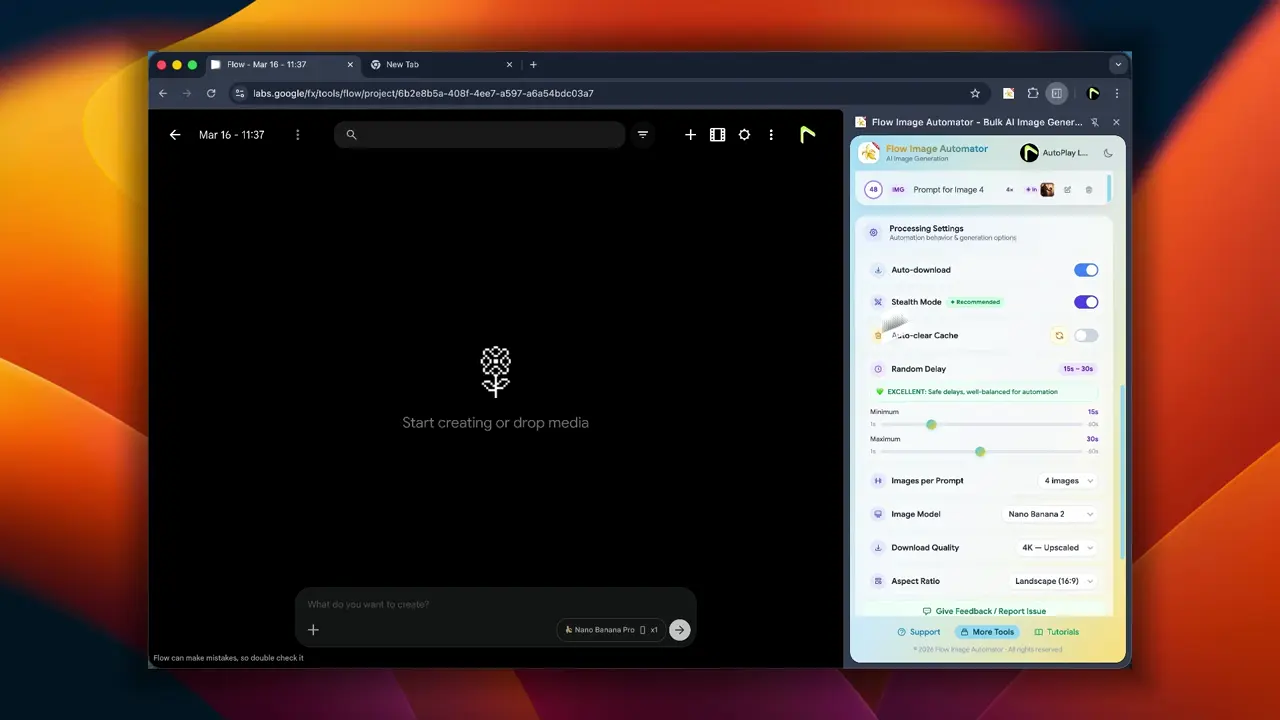
You can Create Bulk Images. Then select the Create image option.You can input multiple prompts at once for bulk generation, enabling you to create several images in one go.
- Feature 08
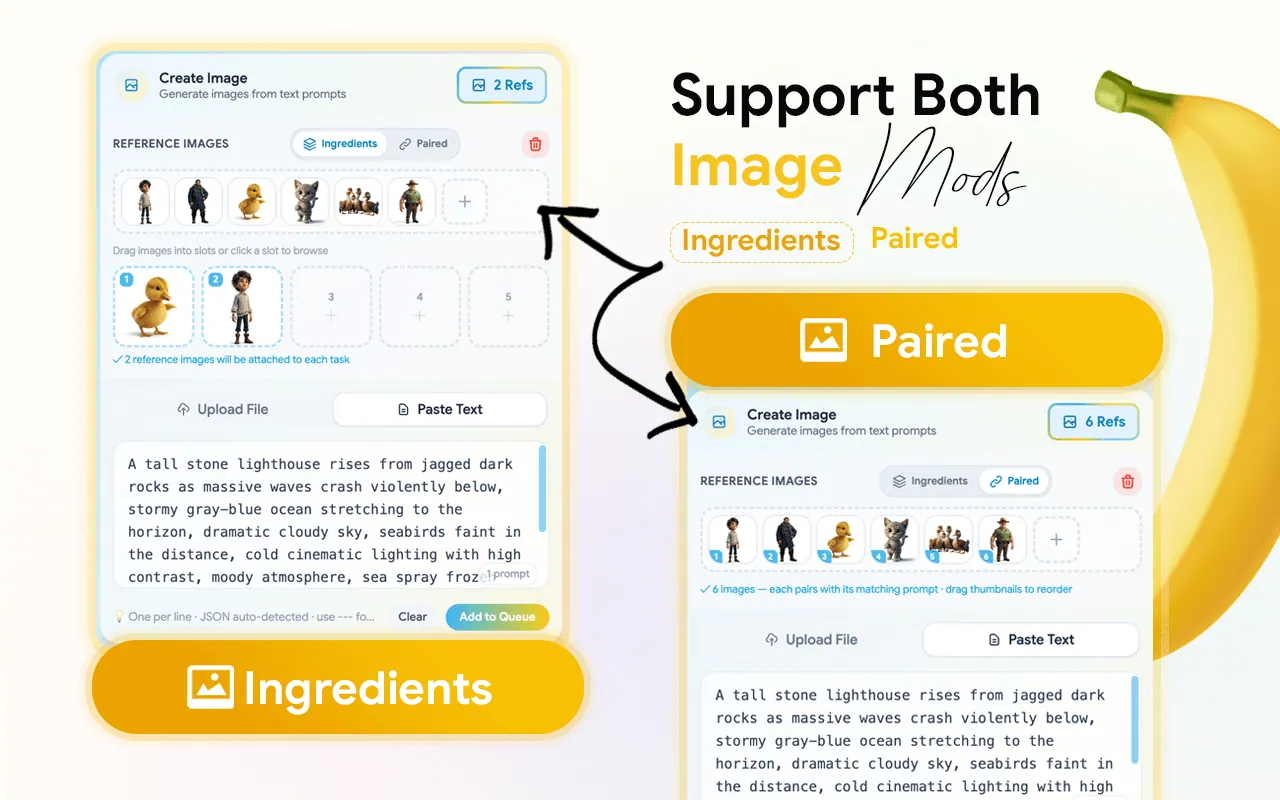
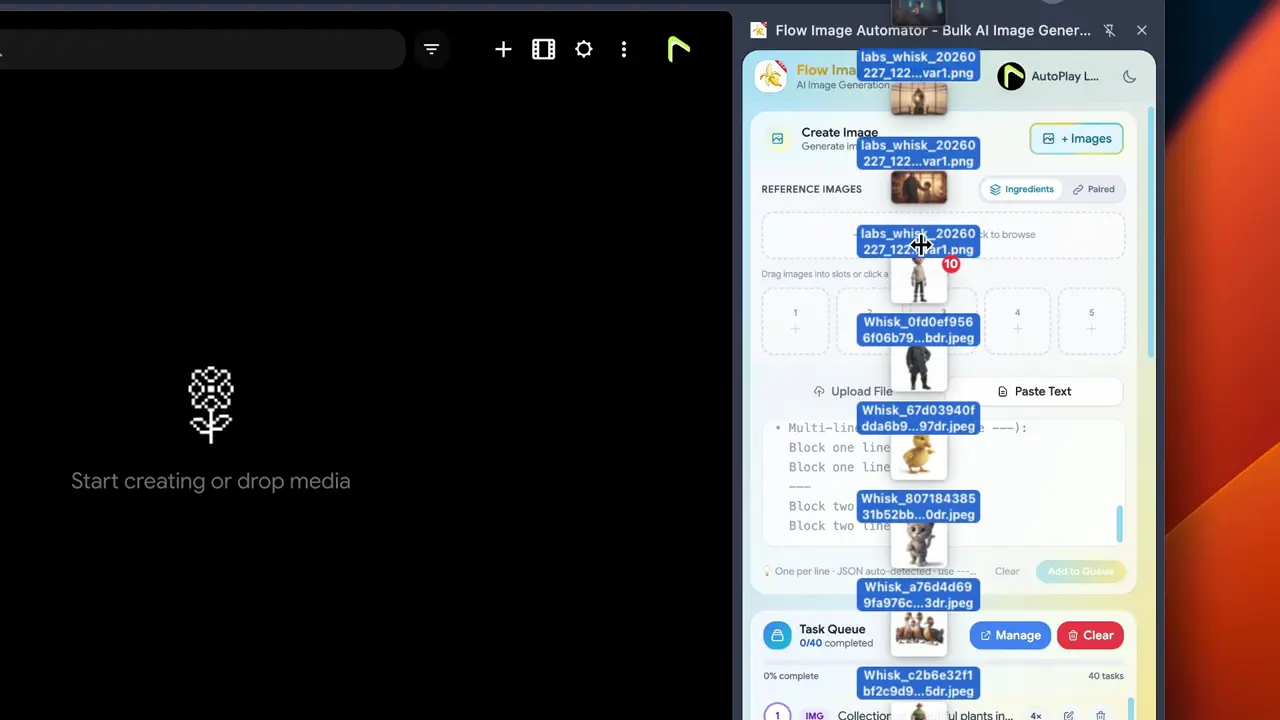
Multi Image Reference Mode
You can create more images by using multi reference image. Select and Add Reference Images in to Extension and drag and drop them to Your Prompts. Not Repetitive Reference image Uploading.
- Ingredients: – The image can be created by adding the reference ingredients images one by one and adding the prompt in the prompt box.
- Pair:- Prompt should be added line by line, related to the images to be added.(ex: 1image- prompt 1)
- Feature 09
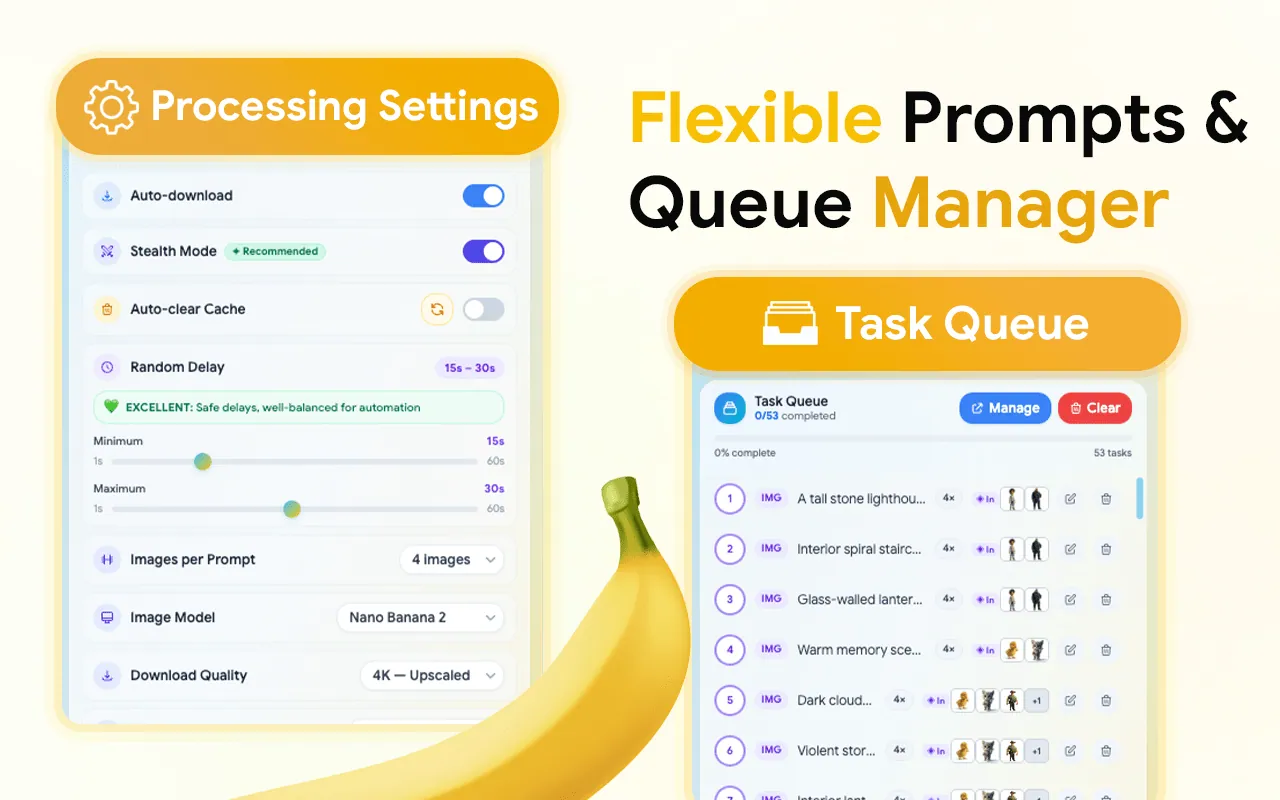
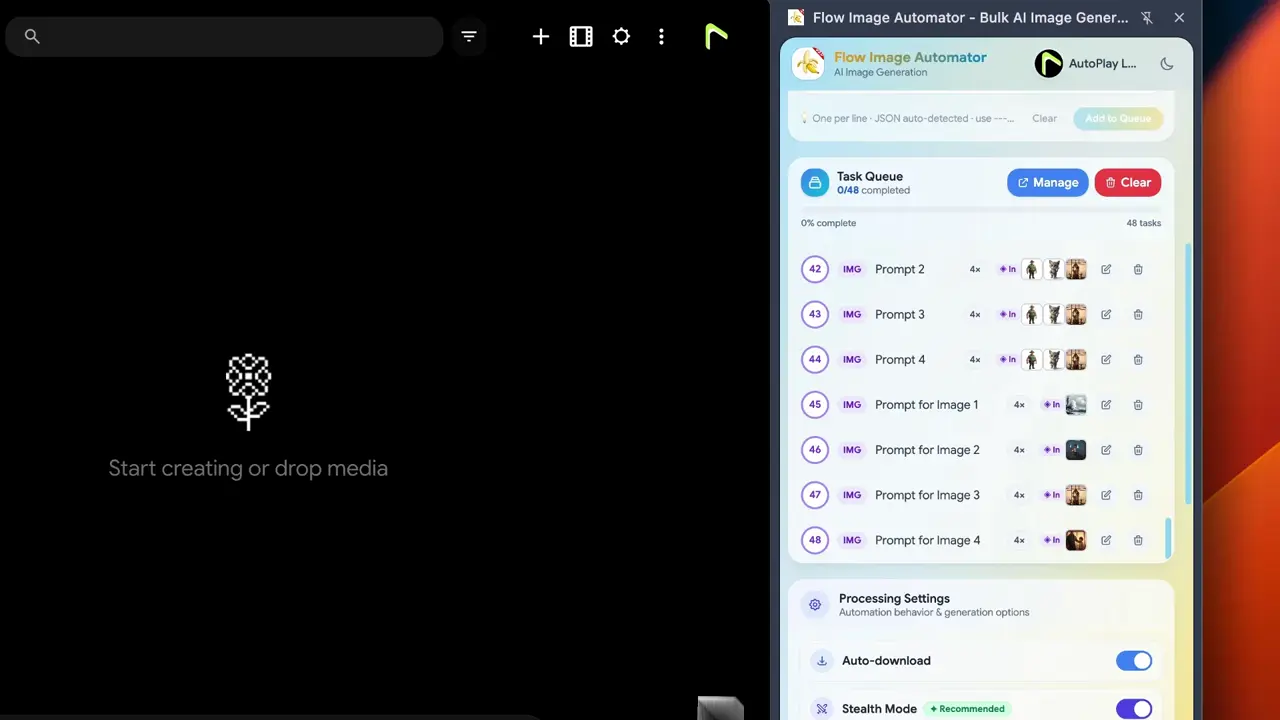
Prompt Queue Manager
Click the “Edit icon” . Once you have customized your settings, click the “Save” button. Click the Manager and open the pop-up window.
- Feature 10
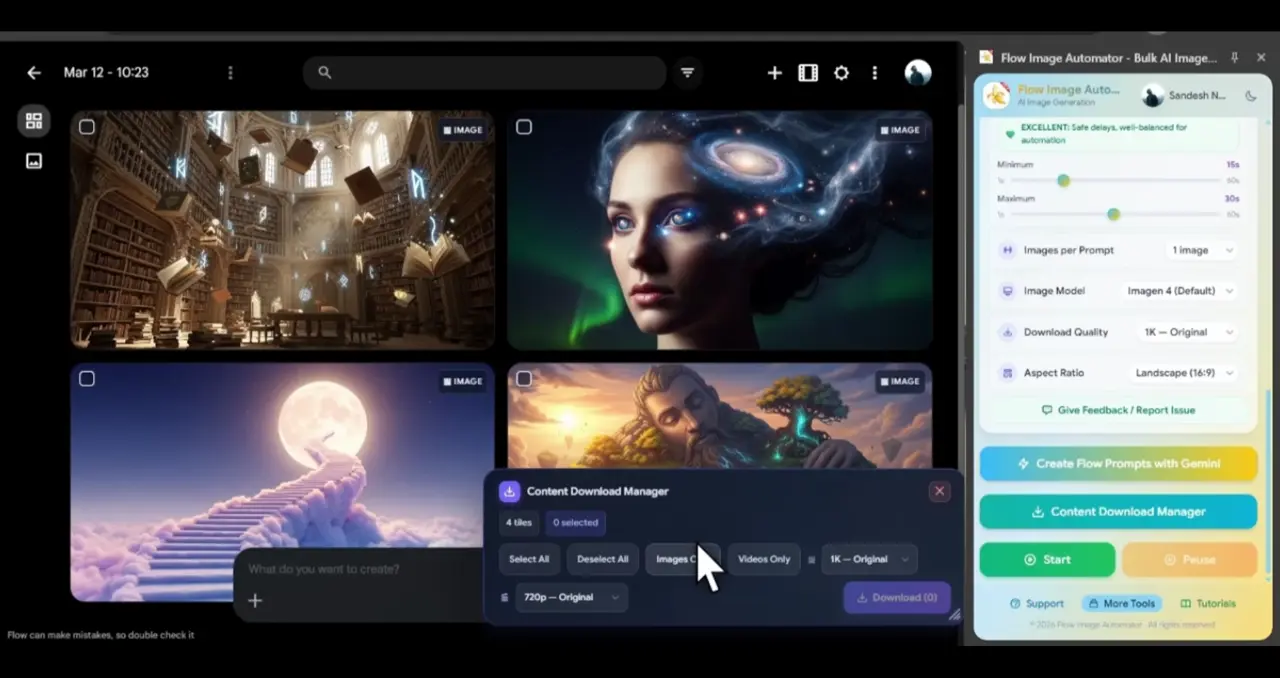
Bulk Content Downloader
The Content Download Manager is your final stop for saving your creations. It features easy Selection options that let you select all, deselect all, or filter your files by image only or video only.
- Feature 11
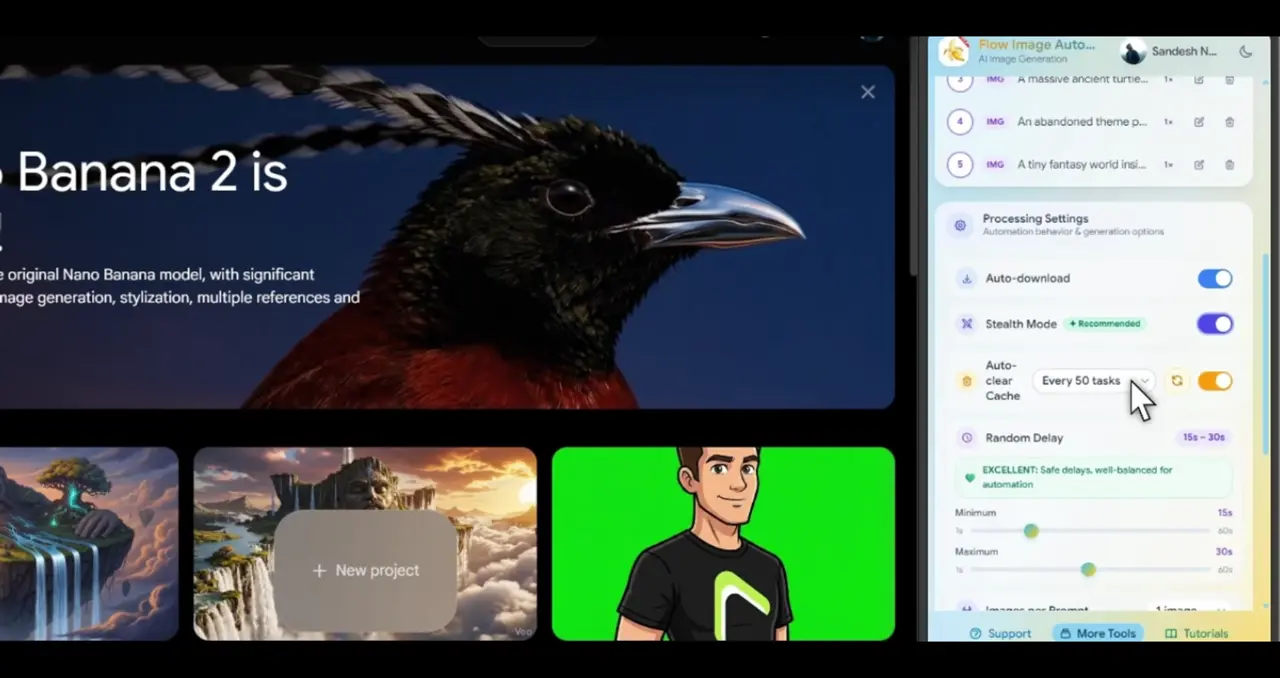
Auto Cache Cleaner
You can use this option to clear the cache when generating images or videos.
- Feature 12
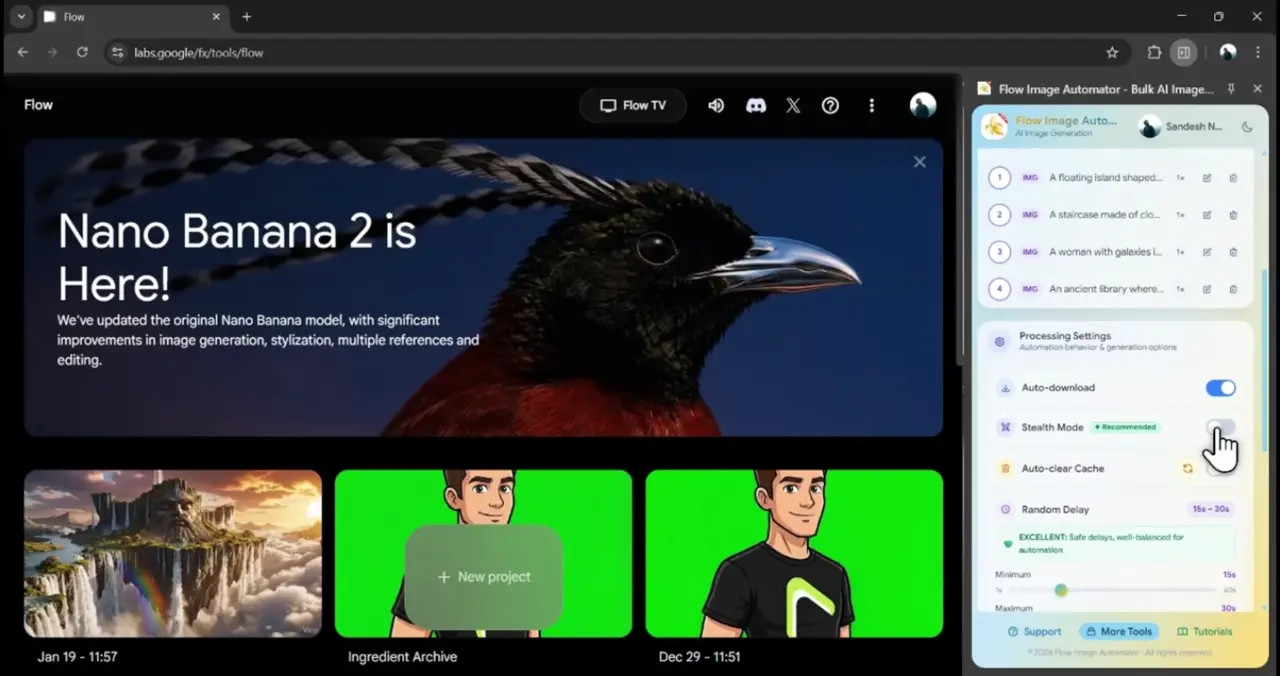
Advance Stealth Mode
If you want to simulate human behaviors for characters. You can use this option and customize stealth mode.
- Feature 13
AI prompt Generator
The AI Prompt Creator is your built-in brainstorming partner for overcoming creative blocks. This feature provides an extensive list of prompt ideas designed to inspire unique and high-quality visuals.
Introduction Video
“Awesome dev support, fixed my problem ASAP”
Benedict de vila20 Oct 2026 · Chrome Web Store “Everything works as it should! The support is also available. Really great tool for automation!”
Daco Bih8 Oct 2026 · Chrome Web Store “the best extension for automate flow image generation”
Arthur Morgan9 May 2026 · Chrome Web Store “Was fine for the free trial, as soon as I paid, the app stopped working. I cannot wait for an app fix, I need a working product today. Contacted Support for a refund. We'll see how it goes. Update from 1-start to 5. Support got back to me right away, offered me a solution that worked, imo kind of went above and beyond. Unfortunately i already moved ahead with a different product. Gave me a refund. Good customer service :) deserves a 5-star fix.”
Tim Zhang24 Apr 2026 · Chrome Web Store “This saved me a ton of time. I used to generate and download images & videos manually, which got tiring fast. Now it just runs on its own and works smoothly. Super simple and actually useful.”
ISH M21 Apr 2026 · Chrome Web Store “Really good extension for Hands free Automation , i can focus on other task while fully automated image automation with this extension”
MADUSHI BANDARA21 Apr 2026 · Chrome Web Store “I tried several Option in Store. But This is Perfect one.Thank you guys.”
Contact alyzm2 Mar 2026 · Chrome Web Store
Reviews shown verbatim from the Chrome Web Store · checked 14 Nov 2026
Our Subscription Plans
Monthly
$4.99
- Full access to Flow tools
- Auto download manager
- AI prompt creator
- Basic support
Yearly
$19.99
- Full access to Flow tools
- Auto download manager
- AI prompt creator
- Basic support
LifeTime
$29.99
- Full access to Flow tools
- Auto download manager
- AI prompt creator
- Basic support
FAQ
Let’s address your questions today!
Send a support ticket with your question or feedback and the AutoPlayLabs team will reply by email.
Submit a support ticket→Yes, Flow images Automator connects directly with your Google account to automate image generation.